
Tidy Up Your Files Instantly
A simple utility to automatically organize your files and folders into clean, type-based subdirectories.
Download on GumroadWhy You'll Love It
Easy-to-Use Interface
A simple and clean graphical user interface (GUI) that's intuitive for everyone.
Standalone Executables
No need to install Python or any other dependencies. Just download and run on Windows or Linux.
Smart Conflict Resolution
Automatically renames files if a file with the same name already exists in the destination folder.
See the Transformation
Before
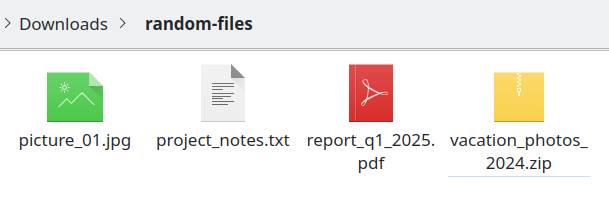
A chaotic mix of documents, images, and archives.
After
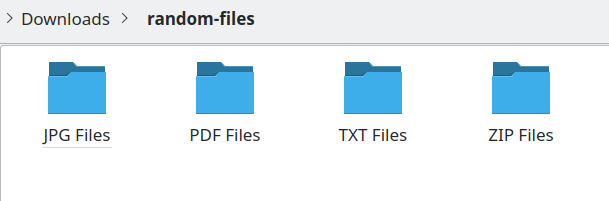
Perfectly organized into type-based subfolders.
How It Works
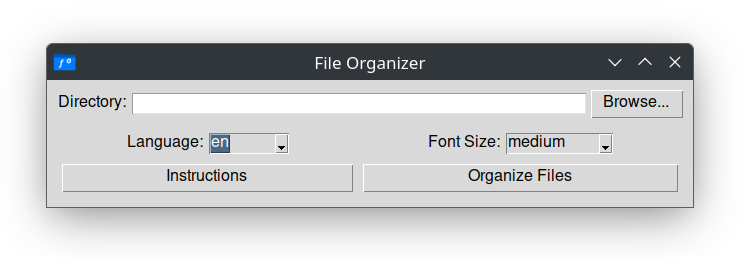
1. Select a Directory
Click the "Browse..." button to choose any folder on your computer that you want to tidy up. The app defaults to your "Downloads" folder for convenience.
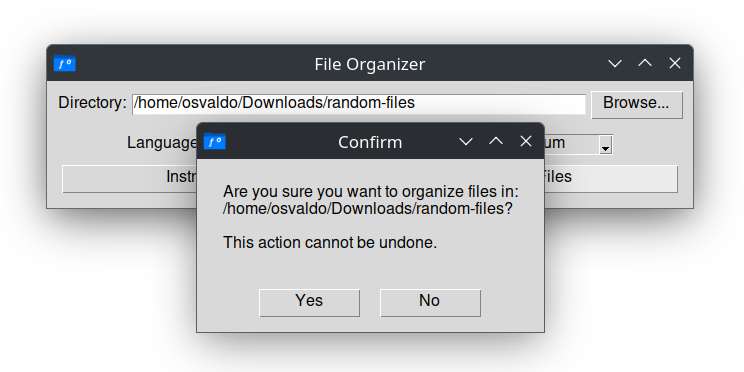
2. Confirm the Action
Click the "Organize Files" button. A confirmation prompt appears to ensure you don't organize a folder by accident. This is your safety check!
3. See the Magic!
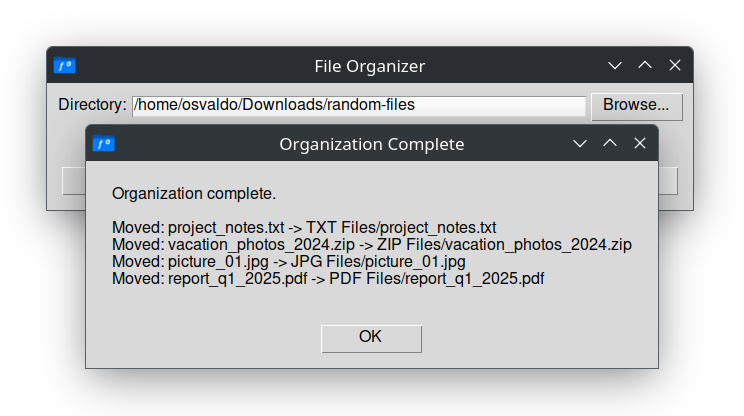
The script instantly moves your files into neatly organized subfolders based on their type (e.g., 'PDF Files', 'JPG Files'). A log shows you exactly what was moved.
Built-in Help
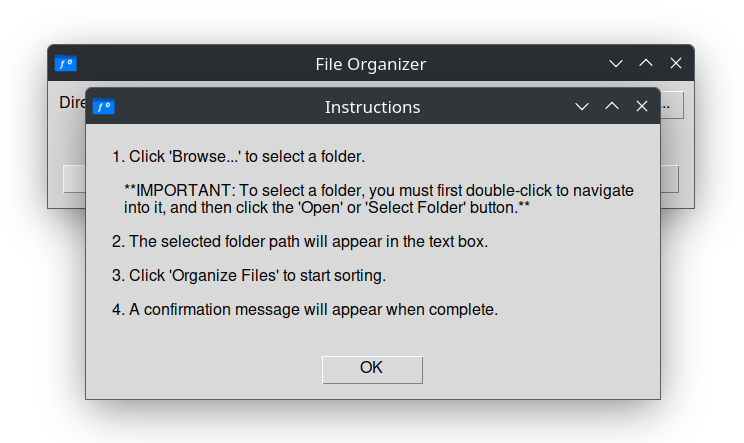
Confused? Just click the "Instructions" button to get a clear, step-by-step guide right within the app.
Data Privacy
This software caters to the organizational needs of local professionals and ensures the privacy of your data, as it processes everything locally on your computer.
View on GitHub
The project, containing the source code and license, is available for review.
View Repository